Face ID not working? Reset it properly
Clean the sensors, reset Face ID, and re-enroll your face.
Clean the TrueDepth camera area, then go to Settings → Face ID & Passcode → Reset Face ID and set it up again. Add an Alternate Appearance if you wear glasses or masks.
Try these fixes in order
Clear the sensors
Wipe the front camera and sensor area with a soft cloth; remove any case or protector edge covering the notch.
Clean the TrueDepth camera and sensor areaReset Face ID
Deleting the old enrollment removes the stale depth map so the new scan starts clean.
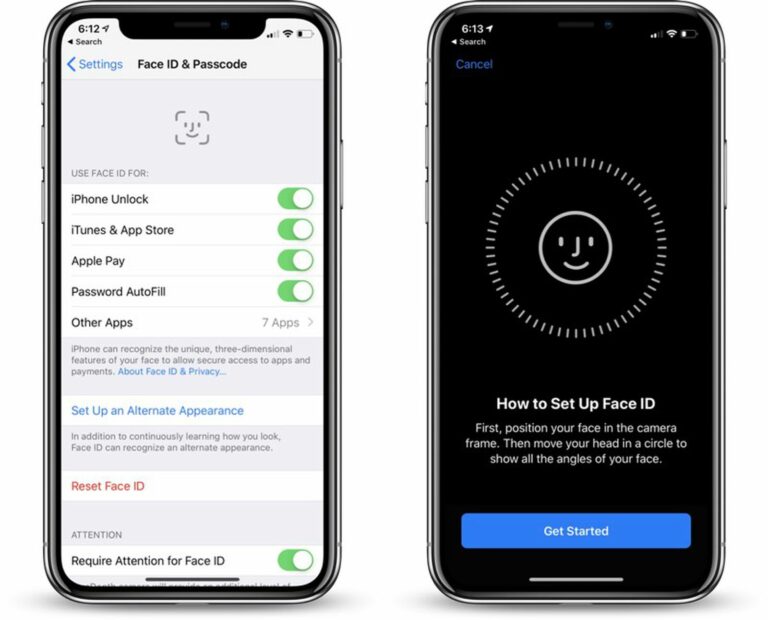
Settings → Face ID & Passcode → Reset Face IDRe-enroll your face
Hold the phone at eye level, 10–20 inches away, in even lighting; move your head slowly in a circle as instructed.
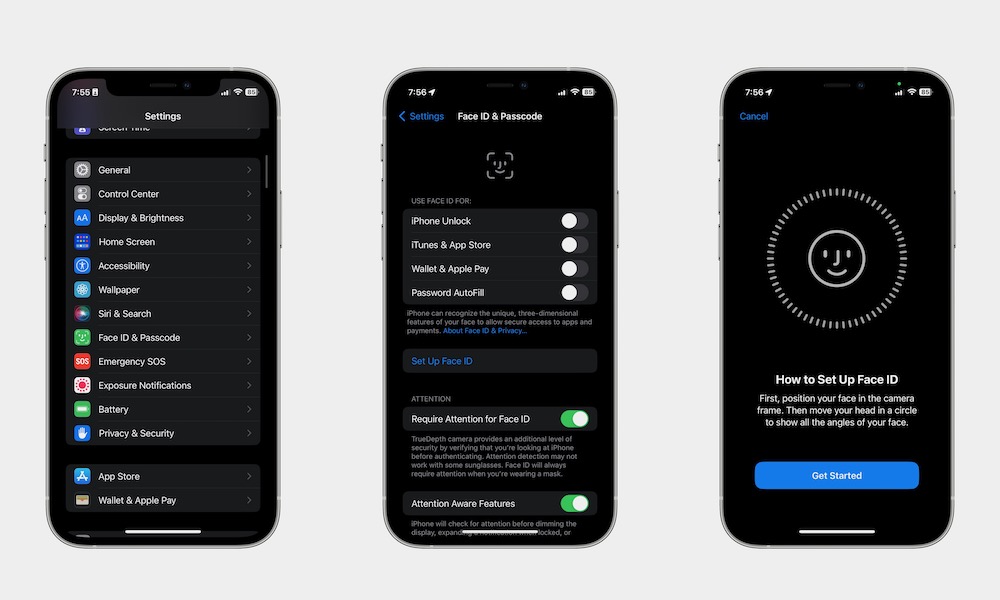
Settings → Face ID & Passcode → Set Up Face IDAdd an alternate appearance
This is a second depth map for a different look — no need to reset the first one.
Settings → Face ID & Passcode → Set Up Alternate AppearanceInterpret what you see
It worked before and gradually got worse
What it suggests: The TrueDepth system needs a clear view; smudges and edge-to-edge protectors are the most common blockers.
Next check: Clean the notch/Dynamic Island area and check the protector has proper cutouts.
It fails with glasses, sunglasses, or a mask
What it suggests: Glasses, masks, and major appearance changes confuse the enrolled depth map.
Next check: Add an Alternate Appearance in Face ID settings.
It never works, in any lighting or angle
What it suggests: A corrupted enrollment or settings glitch is fixed by starting the Face ID setup over.
Next check: Reset Face ID and set it up again in good lighting.
Why this happens
- The TrueDepth camera is dirty or blocked by a case or screen protector.
- The enrolled face data is stale after big appearance changes.
- Corrupted settings or a hardware fault in the sensor assembly.
Still not working?
If Face ID died right after a third-party screen replacement, no settings fix will bring it back: Face ID components are paired to the logic board, and replacing the sensor flex without transferring the original parts disables it permanently. That needs the original repairer or Apple.
Official sources
- YouTube: Face ID Not Working on iPhone? How to Fix It — 3 Methods ↗
- Screenshot: SecNews iPhone security guide ↗
- Screenshot: iDrop News Face ID guide ↗
These steps are based on the linked documentation and general diagnostics. BugMedic has not independently tested every product and system configuration. Review commands before running them.