iMessage not working or stuck on Waiting for Activation?
Fix the clock, clean up SIM profiles, and re-trigger activation.
Set Date & Time to automatic, toggle iMessage off and back on, and check Settings → Cellular for a duplicate inactive SIM blocking activation. Allow up to 24 hours for activation to complete.
Try these fixes in order
Fix date and time
A wrong clock breaks the secure handshake with Apple's activation servers.
Settings → General → Date & Time → Set Automatically → OnToggle iMessage off and on
This forces a fresh registration attempt with Apple's servers.
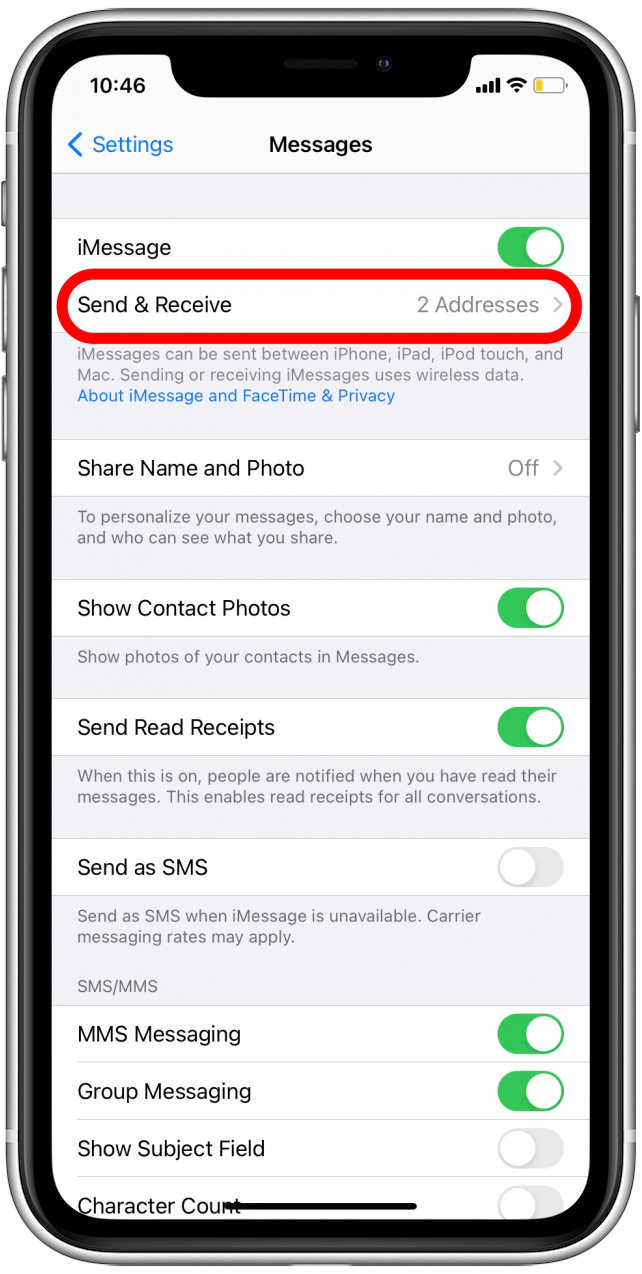
Settings → Messages → iMessage → Off, wait 30 seconds, OnVerify send and receive addresses
Make sure your phone number and Apple ID are checked as reachable addresses.
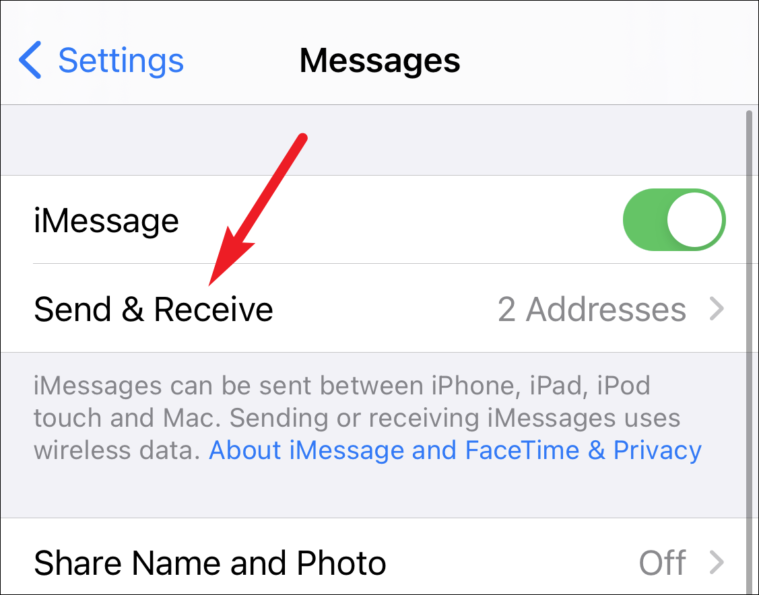
Settings → Messages → Send & ReceiveUpdate carrier settings
Outdated carrier settings break activation; a network reset clears corrupt cellular config (Wi-Fi passwords will need re-entering).
Settings → General → About (wait for carrier update prompt)Interpret what you see
The clock looks wrong or was set manually
What it suggests: Activation handshakes are time-sensitive; a manually set wrong clock breaks them.
Next check: Set date and time to automatic in Settings → General → Date & Time.
Two SIMs show the same phone number
What it suggests: Apple has confirmed that an inactive SIM or eSIM with the same number as the active one blocks activation.
Next check: Check Settings → Cellular and delete the inactive duplicate profile.
It worked before and suddenly stopped
What it suggests: A simple toggle forces iMessage to re-register with Apple's servers.
Next check: Turn iMessage off, wait 30 seconds, turn it back on.
Why this happens
- Date & time are wrong, breaking the activation handshake with Apple.
- An inactive or duplicate SIM/eSIM profile blocks phone-number activation.
- The carrier cannot send the activation SMS or the network settings are corrupt.
Still not working?
iMessage activation sends a silent international SMS to Apple's servers — if your carrier blocks international SMS or your plan has no SMS balance, activation fails silently. Check with your carrier before erasing the phone; a factory reset cannot fix a carrier-side SMS block.
Official sources
- YouTube: How to Fix Activation Unsuccessful on iMessage ↗
- Screenshot: iPhone Life iMessage guide ↗
- Screenshot: AllThingsHow iMessage guide ↗
These steps are based on the linked documentation and general diagnostics. BugMedic has not independently tested every product and system configuration. Review commands before running them.