iPhone battery draining fast? Change these settings
Find the battery hogs, then tame background refresh, location, and display settings.
Check Settings → Battery to find the hogs. Then turn off Background App Refresh, set location access to While Using the App, and use Adaptive or Low Power Mode with a short Auto-Lock.
Try these fixes in order
Find what is draining the battery
This ranks apps by battery consumption over the last 24 hours and 10 days — target the top offenders first.
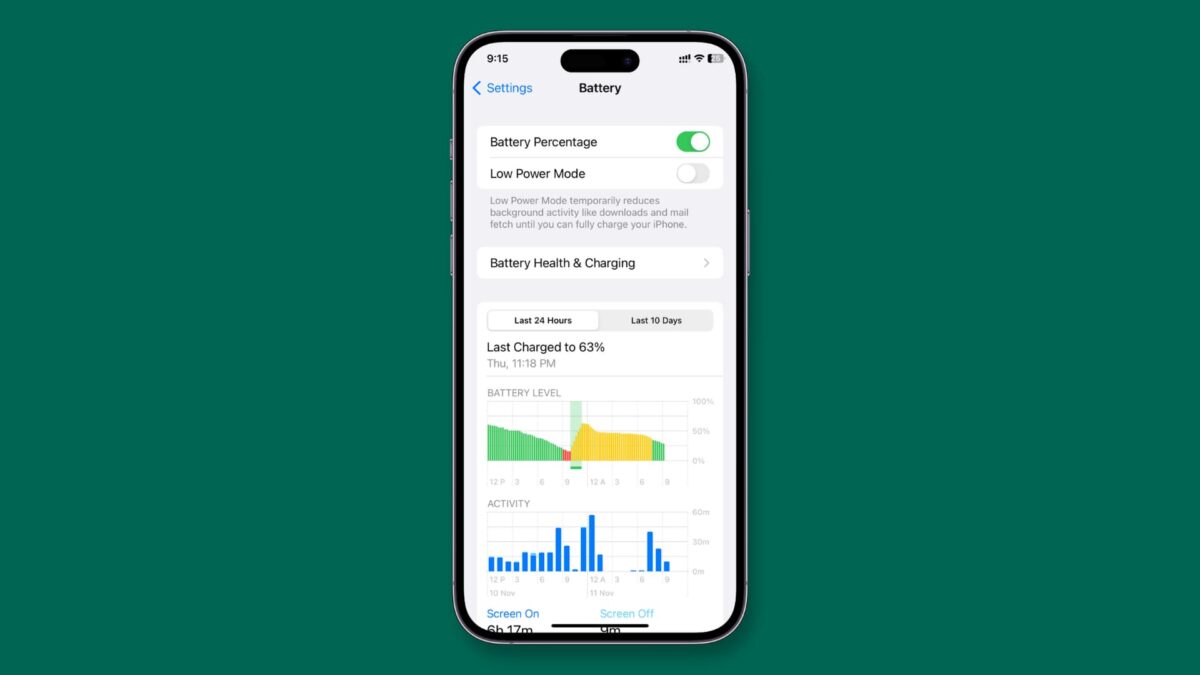
Settings → BatteryTurn off Background App Refresh
Apps still work normally when you open them; they just stop updating silently in the background.
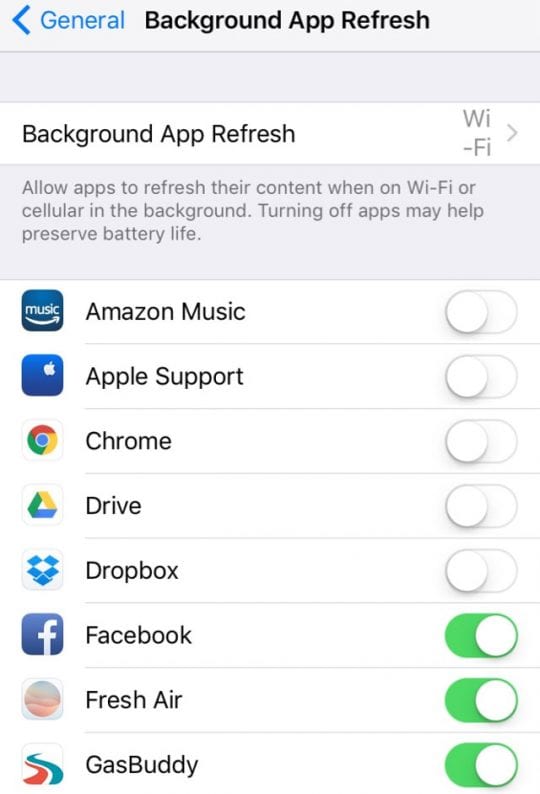
Settings → General → Background App Refresh → OffTrim location access
Change Always to While Using the App wherever possible, and disable System Services analytics you do not need.
Settings → Privacy & Security → Location ServicesEnable power saving and tame the display
Adaptive Power Mode optimizes usage automatically; also lower brightness, set Auto-Lock to 1 minute, and disable Always On Display.
Settings → Battery → Power Mode → AdaptiveInterpret what you see
One or two apps dominate the usage list
What it suggests: The battery screen ranks apps by consumption, so you can target the actual hogs instead of toggling settings blindly.
Next check: Open Settings → Battery and check the per-app usage list.
Drain happens even when the phone sits idle
What it suggests: Background App Refresh lets apps update when you are not using them — a classic silent drain.
Next check: Turn it off entirely or per app in Settings → General → Background App Refresh.
Location arrow icon shows constantly
What it suggests: Many apps request Always location access they do not need; While Using the App is enough for most.
Next check: Demote location-hungry apps in Settings → Privacy & Security → Location Services.
Why this happens
- Apps refresh and track location in the background all day.
- The display runs at full brightness with a short auto-lock delay.
- An aging battery with low maximum capacity cannot hold a charge.
Still not working?
Check Settings → Battery → Battery Health before changing anything: if maximum capacity is under 80%, the battery itself is worn and no setting will fix it — that iPhone needs a battery replacement, not a settings tweak.
Official sources
- YouTube: iPhone Battery Drain Fast After iOS Update? 4 Easy Ways to Fix ↗
- Screenshot: iDownloadBlog battery guide ↗
- Screenshot: LaMelaMarcia iOS guide ↗
These steps are based on the linked documentation and general diagnostics. BugMedic has not independently tested every product and system configuration. Review commands before running them.