iPhone Personal Hotspot not working or missing?
Confirm the carrier plan, enable sharing, and use Maximize Compatibility for older devices.
Go to Settings → Personal Hotspot and turn on Allow Others to Join, staying on that screen while the other device connects. If the option is missing, your carrier plan likely excludes hotspot — check with them first.
Try these fixes in order
Confirm cellular data works
Hotspot needs a live cellular data link; test by loading a website with Wi-Fi off.
Settings → Cellular → Cellular Data → OnEnable Allow Others to Join
Apple recommends staying on this screen during initial connection troubleshooting — the network only broadcasts reliably while it is visible.
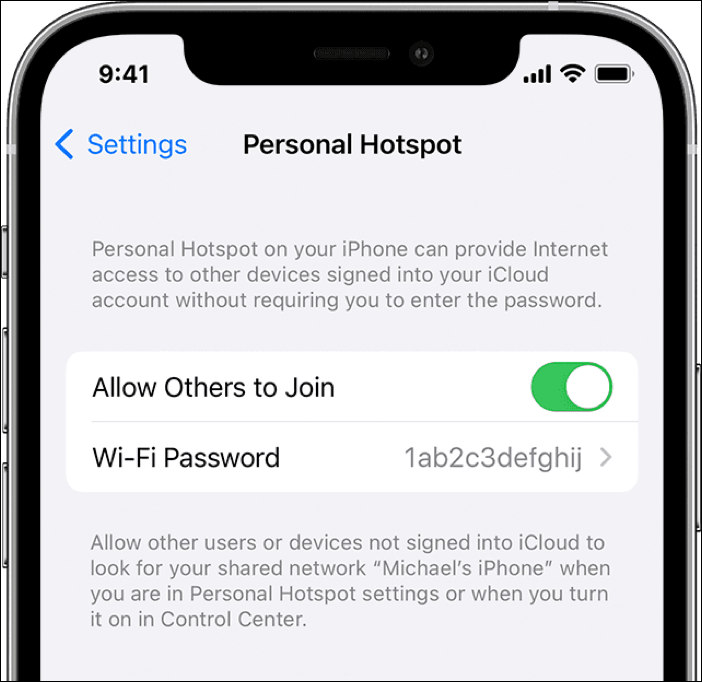
Settings → Personal Hotspot → Allow Others to Join → OnTry Maximize Compatibility
This switches the hotspot to a compatibility mode older Wi-Fi chips can see, at some cost to speed.
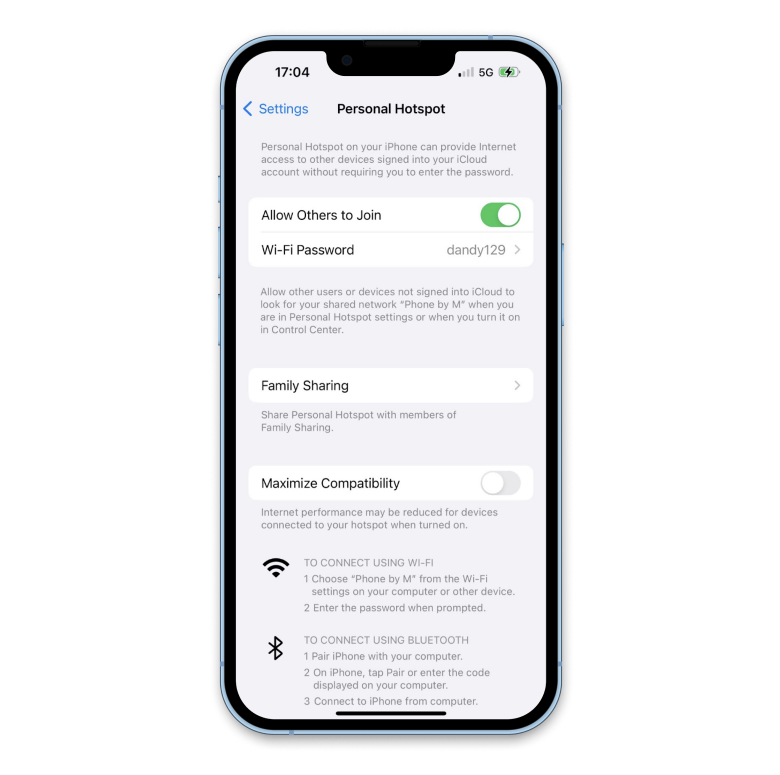
Settings → Personal Hotspot → Maximize Compatibility → OnReset network settings
Clears corrupt network and carrier config; Wi-Fi passwords will need re-entering.
Settings → General → Transfer or Reset iPhone → Reset → Reset Network SettingsInterpret what you see
Personal Hotspot is missing from Settings altogether
What it suggests: Hotspot is a carrier feature; many budget and prepaid plans exclude it, which hides or greys out the option entirely.
Next check: Check your plan for tethering/hotspot, or ask the carrier.
Hotspot turns on but devices get no internet
What it suggests: Without an active cellular data connection the hotspot has nothing to broadcast.
Next check: Confirm Settings → Cellular → Cellular Data is on and Safari loads over cellular.
Newer phones see it but an old laptop does not
What it suggests: Older laptops, TVs, and consoles cannot see the iPhone 12+ default hotspot band.
Next check: Enable Maximize Compatibility in Personal Hotspot settings.
Why this happens
- The carrier plan does not include hotspot/tethering.
- Cellular data is off, so there is nothing to share.
- Corrupt carrier or network settings hide the option.
Still not working?
Personal Hotspot shares your cellular data connection — not Wi-Fi. If the iPhone itself is on Wi-Fi with no cellular data, there is nothing to share, and no settings change fixes that. Also check Settings → General → About for a carrier settings update prompt before resetting anything.
Official sources
- YouTube: How to Fix Personal Hotspot Not Working on iPhone (iOSHacker) ↗
- Screenshot: EaseUS iPhone hotspot guide ↗
- Screenshot: Setapp iPhone hotspot guide ↗
These steps are based on the linked documentation and general diagnostics. BugMedic has not independently tested every product and system configuration. Review commands before running them.